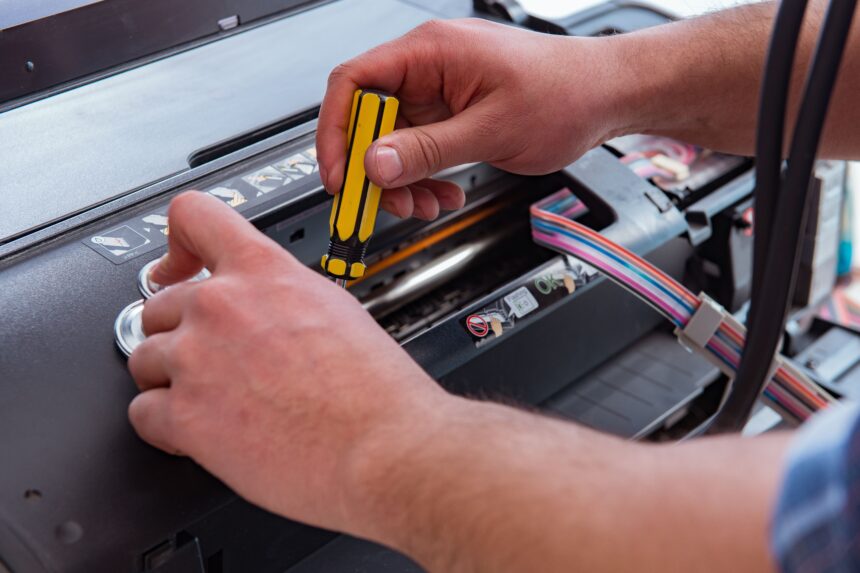
Print head replacement on a UV flatbed printer costs more than most operators expect until they are actually facing the invoice. A head set on a Canon Arizona machine runs to thousands of pounds. Most of that expense is preventable. Not through complicated procedures or specialist knowledge. Through consistent daily habits that take fifteen minutes before production starts.
The businesses that get the most reliable performance from their flatbed printers are not the ones with the most technically capable operators. They are the ones that have built UV flatbed printer maintenance into the production routine rather than treating it as something to address when a problem appears. By the time the problem appears, part of the damage has already been done.
Daily Maintenance That Cannot Be Skipped
Run a nozzle check before production begins every single day. Inspect the output against the reference pattern. Any missing nozzles get addressed before the machine goes near production work. A nozzle that is blocked and ignored for three days is far harder to recover than one caught on the first morning it shows a problem. On Canon Arizona series printers, the head cleaning utility recovers most early-stage blockages. Later-stage ones frequently cannot be recovered at all.
Check ink levels across every channel before starting a session. Running a channel dry during a live job ruins the piece on the platen and risks air entering the ink lines. Purging air from ink lines requires manual intervention that takes significantly longer than a sixty-second level check at the start of the day.
UV ink that drops onto the platen or the carriage underside cures solid and builds up over time. A quick wipe-down of the platen surface and a visual check of the carriage area before each session stops that accumulation before it becomes a problem. Pay particular attention to the wiper blade and capping station area. That is where most of the residue collects.
Substrate inspection before loading is not optional. A bowed sheet, a raised edge, or a fragment of grit on a substrate can strike the print head at the clearance distances UV flatbeds operate at. Head strikes cause immediate mechanical damage. Check every substrate before it goes on the platen. The check takes seconds. The alternative does not.
Weekly Checks
The wiper blade removes ink residue from the head face during maintenance cycles. A damaged or contaminated wiper redistributes that residue rather than removing it. Clean it weekly and check the condition of the blade itself. The capping station seals the print heads when the machine is idle. If the pads are contaminated or not making proper contact with the head face, the heads dry out during downtime periods. Both components are cheap to maintain and expensive to ignore.
UV lamp systems lose output intensity over time as the lamp degrades. Reduced UV output means under-cured ink, which shows up in adhesion failures and scratch resistance problems in finished work. Check lamp hours against the manufacturer’s replacement schedule and watch for tactile signs of under-curing in production output. UV LED systems degrade more slowly, but the lens array still needs inspection for contamination that reduces output efficiency.
Run a vacuum system check by loading a test sheet and verifying that it holds flat uniformly across the full platen area. A blocked vacuum port or a damaged sealing strip causes lift in that zone, which affects print registration and can cause head strikes during a run. Catching this weekly means catching it before it damages a client job.
How Often Should You Clean the Print Heads on a UV Flatbed Printer?
For Canon Arizona series machines, a daily nozzle check and morning cleaning cycle is the baseline recommendation. Beyond that, frequency depends on usage patterns. Machines running continuously in a stable environment need less intervention than machines that sit idle for several hours between sessions, because ink partially dries in nozzles during extended downtime.
If the machine will be unused for more than a few hours, run a maintenance cycle before powering down. Do not leave the heads uncapped.
The principle that matters is this: respond to nozzle check results immediately, every time. Every job run with missing nozzles accelerates the blockage and risks permanent nozzle damage that standard cleaning cannot fix. If a standard cleaning cycle does not recover the nozzle, stop production. Run a deeper cleaning procedure before continuing. It takes longer than carrying on. It costs a fraction of what a head replacement costs.
Monthly and Periodic Maintenance
Monthly checks should cover the mechanical components of the system: carriage rail lubrication on the manufacturer’s schedule, belt tension and drive component inspection, encoder strip contamination check, and a calibration print to verify media feed and registration accuracy. These are not complex tasks, but they rarely get done without a scheduled reminder. Building them into a monthly maintenance record keeps them from being skipped.
Most businesses running Canon Arizona machines arrange an annual engineer visit for the elements that require trained technicians. Ink damper inspection, head alignment verification, and electrical system checks are the main areas. For high-volume operations running the Canon 6170 XTS or the Canon Arizona 480 GT on extended daily production schedules, a planned annual service is the mechanism that keeps the machine earning rather than sitting idle waiting for a part. The cost is fixed. An emergency callout is not.
The Real Cost of Skipping Maintenance
Head damage from a strike or an advanced blockage is the obvious catastrophic cost. Less obvious is the commercial damage that accumulates before any equipment failure occurs. Banding, colour drift, and adhesion problems in finished jobs do not always generate immediate complaints. They generate quiet loss of confidence. Accounts that stop calling without explanation are harder to recover than accounts that raise a complaint you can address.
A proper maintenance routine is not a cost. It is the mechanism that protects the value of the asset and keeps the output quality at the level clients are paying for.
If regular maintenance is no longer enough to keep your printer performing efficiently, it may be time to consider upgrading to a newer industrial flatbed printer.